Your DigitalFarm Notebook
Replace paper logs, scattered notes, and forgotten measurements with a structured digital diary. Track what happened, when it happened, and to which object — building a timeline you can filter, review, and learn from.
Objects → Logs → Blocks
The diary is organized into three levels — from what you're tracking to the details of each visit.
Objects
A monitored entity — a crop, greenhouse, reservoir, or any custom item.
Logs
A single diary entry attached to an object. Has a date, optional title, and one or more blocks.
Blocks
A structured piece of information inside a log. Four types cover everything you need to record.
Track Everything That Matters.
Organize your diary by the things you monitor — crops, reservoirs, greenhouses, or any custom category.
- Card and table view modes with health status indicators
- Growth stage tracking with visual status (🟢 🟡 🔴)
- Archive completed cycles without losing historical data
- Quick access to log count, last entry date, and health overview

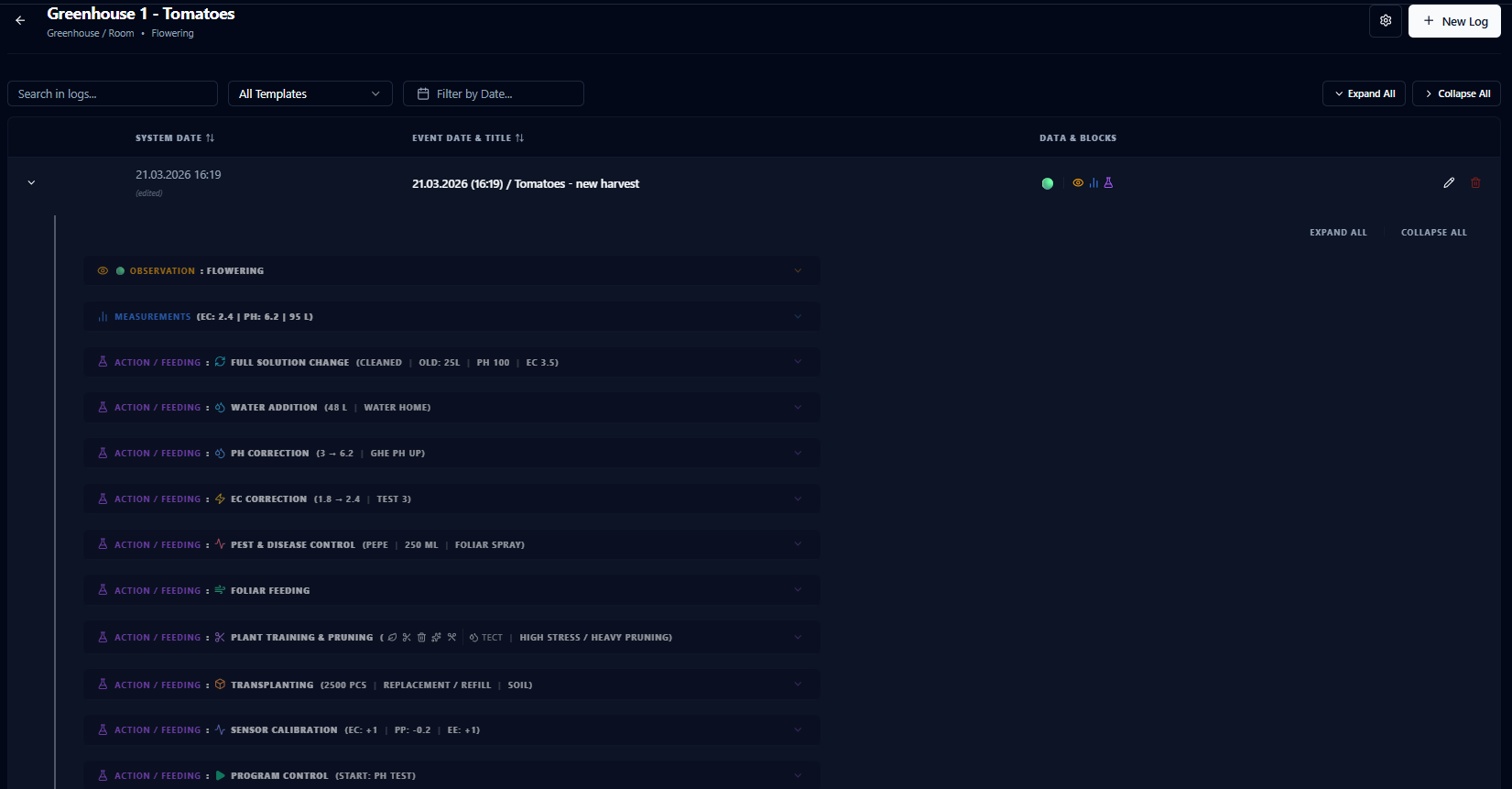
Every Visit. Every Detail.
A chronological record of all diary logs for each object — filterable, expandable, and always accessible.
- Filter by block type, date range, or free-text search
- Expand any row to see full block contents inline
- Back-date entries to log morning measurements in the evening
- System timestamps with edit tracking
Four Block Types. Everything Covered.
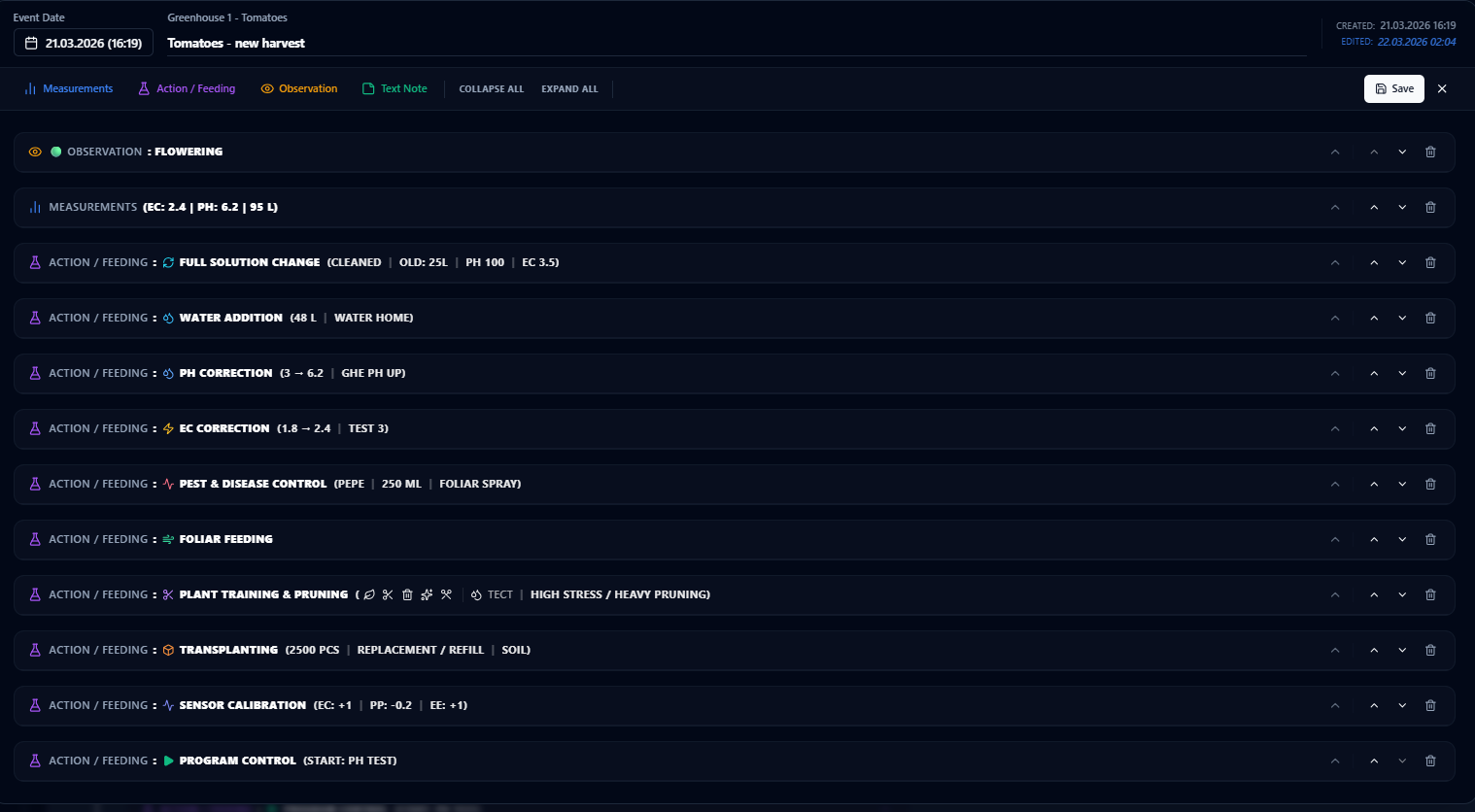
A single diary visit often involves multiple unrelated things. Blocks let you record everything in one log without mixing data types.
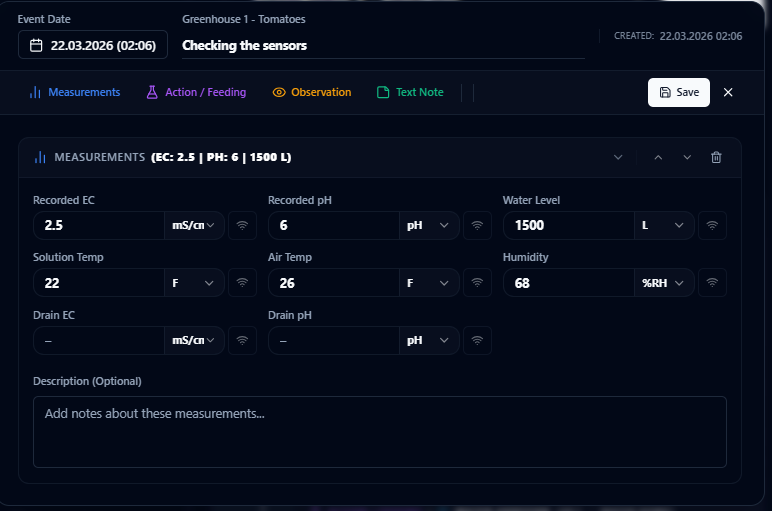
📊 Measurements
Record EC, pH, water level, temperature, humidity, and drain readings. Each field uses unit-aware inputs with optional one-click sensor integration.
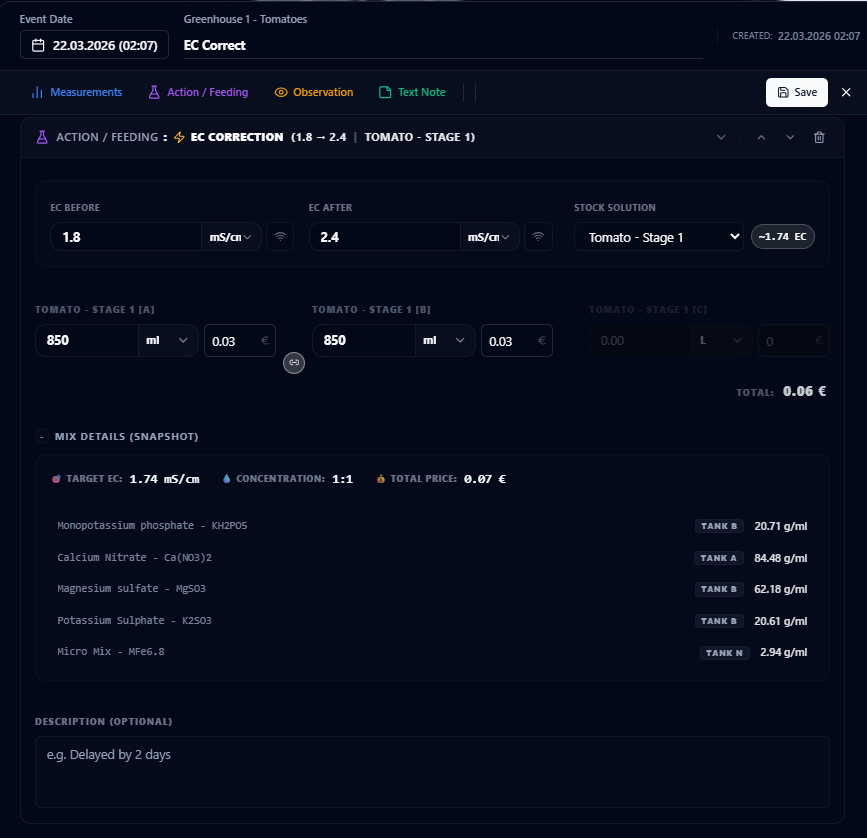
🧪 Actions
12 structured action types — EC correction, pH correction, water addition, solution change, pest control, plant training, transplanting, sensor calibration, and more.
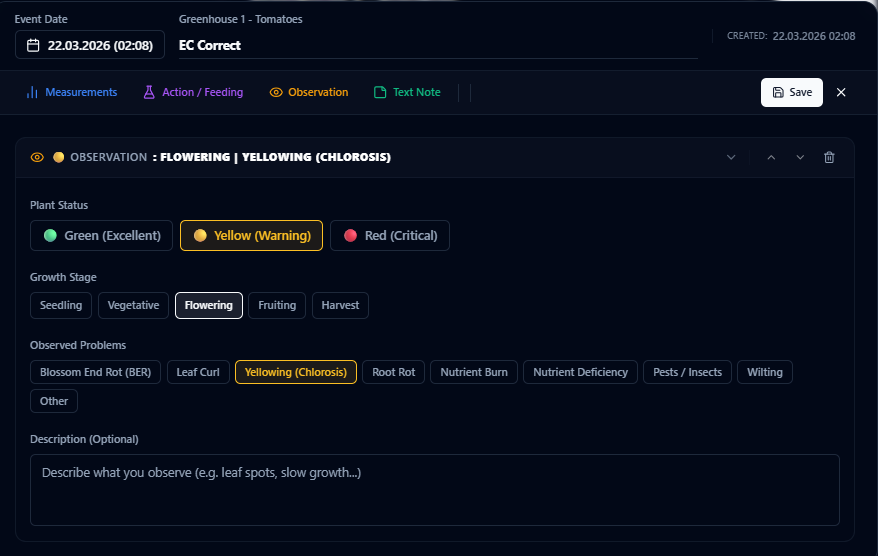
👁️ Observations
Visual health assessment with traffic-light status (🟢🟡🔴), growth stage tracking, and problem tags for specific issues like nutrient burn, yellowing, or root rot.
📝 Notes
Free-text rich notes for anything that doesn't fit the structured types — reminders, hypotheses, links, or general commentary.
From Hardware to Diary. One Click.
Map sensors to diary objects and pull live readings directly into measurement blocks — no typing, no errors, no delay.
No Hardware Required
The Farm Diary works as a standalone digital logbook — no controllers, no sensors, no automation needed. Record measurements by hand, log activities, track plant health, and build a complete history of your operation. When hardware is connected, sensor readings flow directly into your diary entries with a single click.
Ready to start logging?
Download CeresFlows and build your digital farm history — no hardware required.